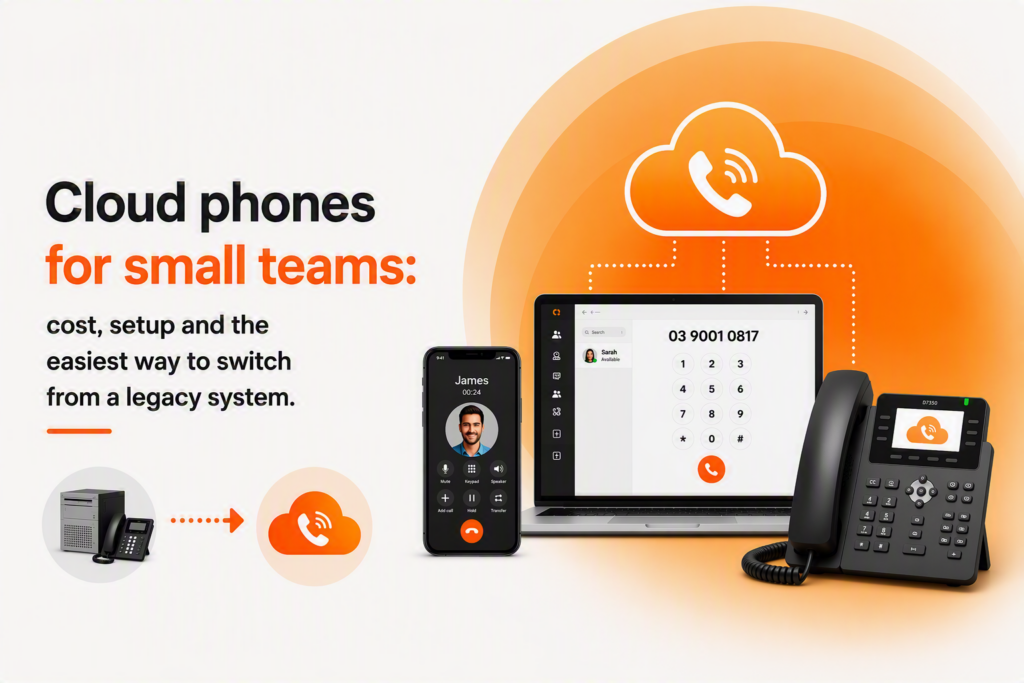
Cloud phones are no longer a nice-to-have. For teams of 5 to 50, they cut hidden costs, simplify moves, and let you answer office calls from anywhere. The hurdle is knowing the real numbers and the fastest way to migrate without disruption.
This guide gives you a numbers-first path. You will see typical costs, a one-week setup plan, practical device choices, and a simple, low-risk way to move off a hardware PBX.
What a cloud-based telephone system is
A cloud-based telephone system runs your business calling over the internet using Voice over Internet Protocol (VoIP). Calls are handled by a provider’s platform rather than a box in your comms cupboard. Staff can make and receive calls on desk phones, softphones on laptops, or mobiles, all tied to your business numbers and call flows.
In 2026 terms, think unified communications under one login: voice, basic video, messaging, queues, voicemail-to-email, and smart routing that follows your team between the office, home, and the road.
Cloud vs hardware PBX, in plain English
A hardware PBX needs on-site equipment, fixed wiring, and line rentals. You pay to maintain it, add cards, and roll a technician when something breaks. Scaling or moving desks means more cabling.
Cloud phones run on your business internet. You manage users and call flows in a web portal, add extensions without rewiring, and route to mobiles during outages. Costs are mostly per-user licensing plus internet you already need.
You can also bridge the two. With SIP trunking, you can feed an existing PBX using internet-based call channels, then phase to full cloud when ready.
What VoIP costs in Australia for small teams
Budget ranges below are indicative and vary by features and minutes. Use them to set expectations and shortlist vendors.
- Per-user plans: entry plans often start around $20 to $35 per user per month for core calling, voicemail-to-email, and basic routing. Feature-rich or contact-centre style plans can land between $40 and $70 per user per month. DSP Communications references an example entry-level Business VoIP plan starting at $49.50 per month. Confirm inclusions and limits before you commit.
- Handsets: reuse compatible IP phones where possible. New mid-range IP handsets typically cost $120 to $280 once-off; cordless or receptionist models cost more. Many teams now skip desk phones for softphones and headsets.
- Softphones and headsets: desktop and mobile apps are usually included in licensing. Budget $80 to $220 per user for a good USB or Bluetooth headset if needed.
- Numbers: geographic numbers are usually included. A 1300 or 1800 number typically adds a monthly fee plus usage. 1800 calls are toll-free for callers and billed to you; 1300 is caller local-rate style with business charges on your side.
- Call recording: sometimes bundled on higher tiers; otherwise add $5 to $15 per user per month. Storage costs vary by retention.
- SIP trunks for existing PBX: priced per concurrent channel. Expect a monthly base plus channel fees; overall it is usually cheaper than multiple line rentals.
- Internet: stable, low-latency links matter more than raw speed. Business NBN, FTTP, or fibre-backed services are preferred, with 4G/5G failover.
Where savings usually appear:
- Retiring multiple copper line rentals and PBX maintenance contracts
- Fewer technician visits and faster changes in a web portal
- Less downtime exposure with tested failover
- Reduced cord clutter and simpler office moves
If you want local guidance while comparing plans, see DSP’s pages for VoIP and business internet in Cranbourne and surrounds. For example, you can review options for a VoIP phone system in Cranbourne or check business NBN availability and installation specifics.
- Explore a VoIP phone system in Cranbourne: https://www.dspcommunications.com.au/
- Review business NBN options and installation considerations: https://www.dspcommunications.com.au/services/business-nbn/
Set up cloud phones in a week
A pragmatic, low-risk rollout for a 5 to 50 person team:
- Day 1: Call-flow mapping. List numbers, queues, hours, hunt groups, on-call rules, voicemail-to-email, and overflow to mobiles or another site.
- Day 2: Internet and QoS checks. Verify bandwidth for your busiest hour. Enable QoS so voice is prioritised over bulk data. Confirm 4G/5G failover cuts in cleanly.
- Day 3: Build the tenant. Create users, roles, extensions, and security. Load greetings and holiday messages. Configure spend alerts and destination restrictions.
- Day 4: Number porting prep. Submit port orders with current bills and letters of authority. Set temporary diversions if needed. Document a test window.
- Day 5: Pilot and failover test. Put 3 to 5 staff on softphones and one desk phone. Test inbound, outbound, transfers, voicemail, queues, and mobile failover.
- Day 6: Training. 30 to 45 minutes per team on answering, transferring, voicemail-to-email, mobile app use, and basic troubleshooting.
- Day 7: Cutover. Port numbers, validate call flows, monitor queues, and keep diversions or a backup number ready for an hour.
DSP’s readiness review covers this in one engagement, including call-flow design, QoS guidance, and a documented porting plan.
Devices: softphones vs desk phones vs mobiles
Pick by role rather than one-size-fits-all.
- Front desk and high-call roles: desk phones or a reception console for glanceable presence and quick transfers. Add a wired headset.
- Sales, account management, remote staff: softphones on laptops plus the mobile app. Use eSIM where supported, so numbers and data are provisioned fast without physical SIMs.
- Field and after-hours: mobile app as the primary device, backed by queue or on-call routing. Keep a small number of desk phones for shared rooms or meeting spaces.
- Execs and meeting-heavy users: softphone plus a quality headset; add a speakerphone for rooms.
Workspace wins: fewer cords, fewer wall ports, simpler seat moves. When a staff member shifts desks, they just sign in.
If mobility is central to your team, see DSP’s business mobile plans with eSIM support in Cranbourne for easy provisioning across compatible devices: https://www.dspcommunications.com.au/services/business-mobile-phones/
Security basics you should not skip
- Turn on multi-factor authentication for admin and user portals where available.
- Use strong, unique passwords on handsets, apps, and portals.
- Lock down admin access by IP where feasible.
- Set spend alerts and destination limits to block risky international calls.
- Keep firmware and apps updated; remove unused logins promptly.
The easiest way to switch from legacy
Use a staged cutover with SIP trunking or call diversions while numbers port.
- Step 1: Ready your internet and QoS, then pilot cloud extensions for a subset of users.
- Step 2: Keep your PBX running via SIP trunks or temporary divert while you build cloud call flows.
- Step 3: Port numbers in groups. Validate each batch before proceeding.
- Step 4: Train, go live, and keep a fallback diversion to mobiles for the first day.
If you need help sizing channels for a PBX bridge or want a tailored concurrency quote, request a SIP trunk quote for Cranbourne and nearby areas here: https://www.dspcommunications.com.au/services/sip-2/
Quick FAQ for small teams
No on-site PBX box or copper lines, simpler scaling, and web-portal changes instead of technician visits. You can add SIP trunks to bridge legacy during migration.
Commonly $20 to $35 per user per month for essentials, $40 to $70 for advanced features. Handsets are usually $120 to $280 if you do not reuse existing devices. Confirm exact inclusions with your provider.
Usually yes when you factor line-rental savings, reduced maintenance, mobility, and fewer missed calls.
Map call flows, check internet and QoS, build users and security, pilot, then port numbers with a fallback plan.
No. You need business internet with suitable latency and QoS.
You need a service to register and route calls. Handsets alone will not connect to the public network.
The one that fits your call flows, integrates softphones and mobiles, supports failover, and is easy to manage. For 5 to 50 seats, a cloud platform with tested QoS is typically the best fit.
Start with a basic cloud plan, use softphones you already have, and add headsets. Add a 1300 or 1800 only if it supports your call strategy.